Mods for GoreBox
Dumitru BoicoEvents
1.878.00 Reviews
- Version
- 1.9
- Installs
- 500.00K
- Age Rating
- Everyone
Screenshots
Our Review of Mods for GoreBox
 Analysis by Appyee
If you’re considering a companion app for GoreBox, it helps to know what kind of experience you want: a dependable way to browse community-made extras, or a polished, guaranteed route to every modification you have in mind. I see Mods for GoreBox as a convenience-first option for players curious about changing up their sessions, with a few important caveats. It is a free events app by Dumitru Boico, rated for Everyone, and its focus is specifically on mods and maps connected to GoreBox rather than on games in general.
What the current version tells me
The app is currently at version 1.9 and supports Android 6.0 or later. It was released on July 14, 2023, and has passed 500,000 installs. That reach suggests plenty of players have looked for this kind of companion, but popularity alone is not a quality guarantee: its average rating is 1.8 from around 1,300 ratings, with 78 written reviews. I would treat that gap between broad adoption and low feedback as a reason to approach it carefully, not as proof that every user will have the same experience.
There is no verified version history here to compare with earlier releases, so I can’t responsibly claim that a particular feature was added or fixed over time. What I can say is that 1.9 is the current version to evaluate, rather than assuming the app is still at its launch state. If you already use it, the practical question is whether it remains useful for the specific content you want and whether the steps it offers work on your device. If you are new, start with one item and check the result before building your whole play routine around it.
Where it fits in a GoreBox routine
The appeal is easy to understand: a sandbox game can feel different when you have fresh places or modifications to try, and browsing a dedicated collection is more focused than searching broadly across unrelated apps or posts. The app is best suited to a GoreBox player who enjoys experimenting and is comfortable checking instructions as they go. It is less convincing for someone who expects every item to install instantly, work with every game setup, or come with the consistency of official game content.
A useful approach is to treat each mod as a small test rather than a permanent upgrade. Read the item’s instructions first, try one change at a time, and make sure you know how to undo it before adding more. That keeps it easier to identify which addition caused a problem and prevents a pile of changes from making the game harder to troubleshoot. I would also avoid assuming that an item described as a map or mod will behave the same way across different versions of the main game.
Costs and expectations
The app is free to download, but it also lists in-app purchases at $19.99 per item. That makes it worth checking what is included before spending: a free starting point does not mean every option is free, and the listed purchase price is substantial enough that I would only consider it after confirming that the particular content is useful to me. If you only want to browse or experiment casually, keep that distinction in mind and do not treat a purchase as necessary to enjoy GoreBox itself.
Compared with searching for individual community files or browsing general mod collections, a focused app can reduce the effort of finding GoreBox-related material. The trade-off is that a dedicated catalog is only as helpful as its selection, instructions, and compatibility with the setup you actually use. Players who prefer official, tightly supported additions may be better off sticking to the base game’s available options; people who like community-made variety may find the extra browsing worthwhile, provided they are patient about checking each item.
Getting Started with Mods for GoreBox
When I first launched the app, I was greeted with a simple yet intuitive interface. It didn’t take long to get the hang of it, and I was off to the races in no time. This app is designed to complement the GoreBox game, offering an expansive set of mods to enhance your gameplay experience. Whether you're new to GoreBox or a seasoned player, you'll find the modifications here both exciting and user-friendly.
Exploring the Features
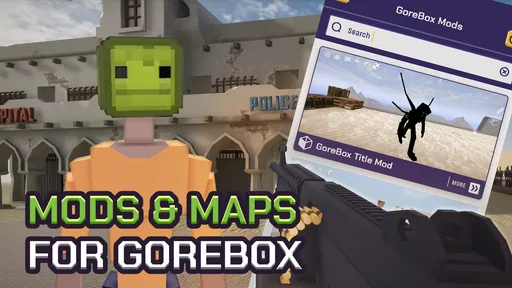
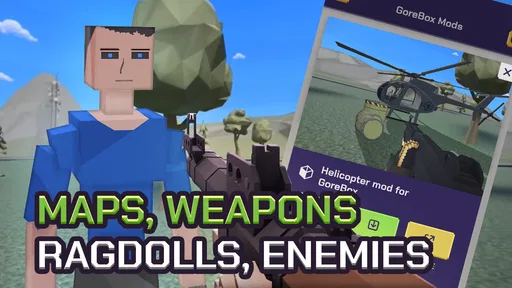
The sheer variety of mods available in Mods for GoreBox is impressive. From weapons and vehicles to skins and map alterations, there’s something for everyone. I was particularly intrigued by the custom maps, which allowed me to explore new terrains and environments. The app also offers an array of weapon mods that added a whole new level of excitement to the gameplay.
One feature that stood out to me was the ability to easily toggle mods on and off. This flexibility meant that I could experiment with different combinations without committing to a permanent change. Plus, the app is regularly updated, so there’s always something fresh to try out.
Ease of Use
Installing and managing mods can sometimes be a daunting task, but this app makes it straightforward. The installation process was a breeze, and I appreciated the clear instructions provided. With just a few taps, I had new mods ready to go. The interface is designed to be accessible, ensuring that even if you’re not a tech whiz, you can still enjoy everything the app has to offer.
What I would still check before relying on that simplicity is whether the instructions match your device and the particular item you choose. A short, sensible workflow is more useful than a large catalog if it leaves you unsure where a file went or how to reverse a change. I’d keep a note of the last item I tried and its installation steps; if the game behaves differently afterward, that gives me a clear place to start troubleshooting instead of guessing.
Why It Stands Out
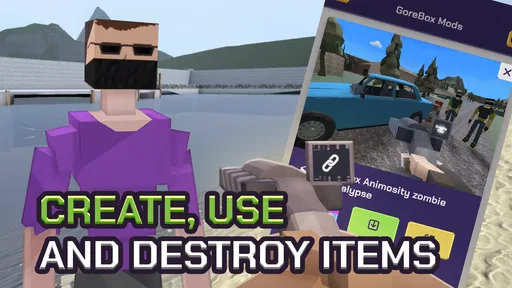
What truly sets Mods for GoreBox apart is its community-driven approach. Users can share their creations and download mods made by others, fostering a collaborative environment. I found myself spending hours exploring community-generated content, each offering a unique twist to the GoreBox universe. This feature keeps the app dynamic and ever-evolving.
For a practical evening session, I’d browse for one map that suits the time I have, save its instructions, and try it before inviting friends or starting a longer run. That order matters: a quick solo test can reveal whether the map loads as expected and whether the controls or familiar play flow still feel right. If it works, I can build the next session around it; if not, I have not disrupted a game night by stacking several untested changes together.
There is also a useful distinction between discovering content and managing it. A catalog can help me find an idea, but it does not automatically make each choice a good fit for my style, device, or current game version. I would compare descriptions carefully and favour a clear, specific set of instructions over a flashy name. When several additions sound appealing, testing the one that changes the least first is a safer way to learn how the process works.
Additionally, the developers seem committed to listening to user feedback, which is always a plus in my book. Regular updates and patches ensure that any bugs are promptly addressed, enhancing the overall user experience.
Who should try it—and who should pass
I’d recommend giving it a cautious look if you already play GoreBox and enjoy trying community material, especially when you want a new map or a different feel without spending your browsing time in broad, unrelated searches. It is a weaker match if you want official support, guaranteed compatibility, or a completely hands-off install. The low average rating also makes me less comfortable recommending it as an essential part of the game; I’d treat it as optional and judge it by one small test rather than by the size of its catalog.
Parents may also want to consider the context, not just the app’s Everyone age rating. This is an add-on for GoreBox, so the tone and content of the game itself matter to the household. I would check the game and the particular material being considered together, rather than using the companion app’s age label as a substitute for deciding whether GoreBox is suitable.
Questions worth settling before you rely on it
Will it work with every GoreBox setup? I would not assume so: the sensible test is to check the item’s own instructions, try one change, and confirm the result in the game. Is everything free? No; the app is free to download, while in-app purchases are listed at $19.99 per item, so check the cost before committing. Is it a replacement for GoreBox? No; its purpose is to complement the game, not to provide the main game experience. Can a beginner use it? The interface and instructions may make starting approachable, but a beginner should still move slowly, avoid installing several items at once, and keep track of how to undo a change.
One other question is whether to choose this over hunting for community content elsewhere. I’d pick this focused app when convenience and GoreBox-specific browsing matter more than having the widest possible source pool. I’d look elsewhere—or stay with the base game—when I need clearer guarantees, a particular item I cannot find, or a more controlled experience. The best option depends less on the promise of variety than on how much time I’m willing to spend checking compatibility and sorting out a mismatch.
What I would watch next
For existing users, version 1.9 is a useful point of reference: note what works on your device and avoid assuming that an update will preserve every routine unchanged. For anyone deciding whether to install, I’d watch for clear instructions, relevant item details, and whether the content I want is accessible without an unexpected purchase. Those are more practical signals than install totals when deciding whether a companion app deserves a place in my regular play setup.
Final Thoughts
Overall, Mods for GoreBox is a must-try for any fan of the original game. It offers a plethora of options to customize and enhance your gaming experience, all wrapped up in a user-friendly package. Whether you’re looking to add some new weaponry, explore exotic maps, or simply want to mix things up, this app has got you covered.
If you’re ready to dive into a world of creative chaos, give Mods for GoreBox a try. It’s available for both Android and iOS, making it accessible to a wide range of users. I can confidently say that this app will keep you entertained for hours on end.
My honest recommendation is more measured: I’d try it if the appeal of community-made GoreBox content outweighs the possibility of extra setup and uneven results. Start with a single item, read before tapping, and be deliberate about any paid choice. If you want a predictable, official experience, the base game is the safer option. If you like experimenting and accept that each addition deserves a little checking, this app may give you a convenient place to begin.
Verdict
Strengths of Mods for GoreBox
- Highly customizable gameplay options.
- Active community for sharing mods.
- Regular updates enhance features.
- Easy to install and use mods.
- Supports a wide range of devices.
Limitations of Mods for GoreBox
- Some mods may cause crashes.
- Occasional compatibility issues.
- Can be resource-intensive on older devices.
- Limited official support for mods.
- Certain mods lack quality control.
Other Releases by Dumitru Boico
View All
Monkey Mobile Arena
Adventure4.1

Gorilla Skins for Monkey Arena
Personalization3.9

Mods for Dmod
Libraries & Demo3.2
Similar Picks in This Category
View All
Easy Quran Mp3 Audio Offline
Muslim Worldapp4.7

Invitation Maker: Cards & RSVP
Greetings Island4.9

StubHub - Live Event Tickets
StubHub4.3

Fever: Events & Tickets
Fever Labs4.7

Epic Freebie Games Radar
Arioch Pds - Apps & Games4.4

Invitation card Maker, Design
Splendid App Maker4.9
Frequently Asked Questions
What is GoreBox and how do mods enhance the gameplay?
GoreBox is a sandbox game known for its immersive and chaotic environments where players can experiment with various tools and objects. Mods for GoreBox enhance gameplay by adding new features, tools, and customization options. These modifications allow users to create unique experiences, expanding the game's replayability and creativity potential.
Are the mods for GoreBox safe to download and use?
Most mods for GoreBox are created by the game’s community and are generally safe to download from reputable sources. However, it’s crucial to ensure that you download mods from trusted websites to avoid malware or corrupted files. Always read user reviews and check for any red flags before installing mods.
How can I install mods on GoreBox for Android and iOS?
Installing mods on GoreBox is typically straightforward. For Android, you can download mod files and place them in the specified game directory. iOS users may need to use third-party apps or services due to the platform's restrictions. Always follow the mod creator's instructions for a seamless installation experience.
Do mods affect the performance of GoreBox on mobile devices?
Mods can impact the performance of GoreBox, especially on lower-end devices. Some mods may increase the load on your device’s processor or memory, leading to lag or crashes. It’s advisable to check the mod’s requirements and user feedback to ensure compatibility with your device’s capabilities.
Is it possible to play GoreBox online with mods enabled?
Playing GoreBox online with mods can be challenging, as not all mods are compatible with multiplayer servers. Some servers may restrict the use of mods to maintain fairness and stability. It’s a good idea to check the server rules and community guidelines before attempting to play online with mods.
